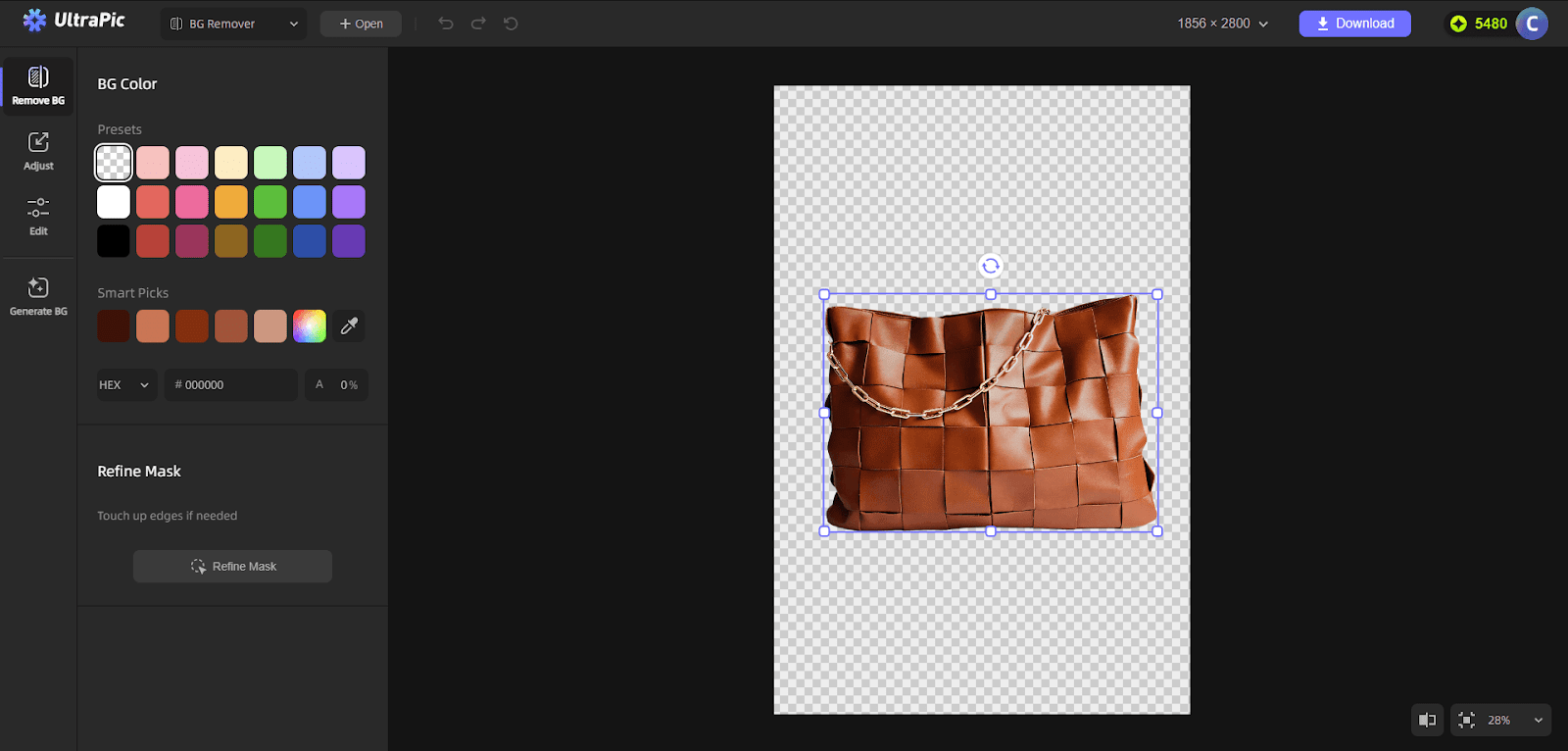
Are you looking for a way to delete photo backgrounds for free? Take a shot of UltraPic for its smooth AI background removal quality and easy-to-use interface.
It’s important to delete photo background for a content creator, online seller, marketer, and even casual users, as it helps create clean, professional visuals, keeps the focus on staying exactly where it should be, boosts e-commerce marketing and sales, and allows the photos to be reused across different platforms, saving time and money.
To delete photo background for free, it’s recommended to try a professional and easy-to-use online photo editing tool: UltraPic. With its concise and beginner-friendly interface, you can make common image-editing tasks simple.
Different from traditional image editors that require manual selection or advanced skills, it uses AI-powered background detection. All you need to do is to upload an image, let the tool automatically identify the subject, and remove the background of the photo in just a few seconds.
The most important question for any online photo background remover is quality. In testing, UltraPic performs surprisingly well for a free solution.
Removing a photo background helps to:
For standard use cases—such as profile photos, product images for e-commerce, or social media graphics—UltraPic delivers results that look professional enough without additional editing.
While extremely detailed edges may still need manual touch-ups in advanced editors, UltraPic covers about 90% of everyday needs with minimal effort.
The AI accurately detects people, products, and objects, even when the background is complex. Hair edges, clothing outlines, and product shapes are generally handled cleanly, which is often where free tools struggle.
The process to delete photo background free is straightforward:
1. Start by visiting the UltraPic website and click Remove BG. On the main interface, you’ll see a clear upload area.
You can either:
Tip: Photos with good lighting and clear contrast between the subject and background usually produce the cleanest cut-outs.
2. Once the image is uploaded, UltraPic’s AI begins analyzing it automatically. There’s no need to manually mark areas or draw outlines.
3. After processing, you’ll see your image with the background removed. The subject is placed on a transparent background, making it easy to reuse across different designs.
At this stage, you can:
Download the image and save as .png format.
The entire workflow takes less than a minute. The interface is clean, uncluttered, and intuitive, making it suitable even for first-time users.
There are no confusing menus or technical terms, which is a major plus compared to traditional photo editing software.
Because UltraPic works online, it’s also platform-independent. Whether you’re using Windows, macOS, or even a tablet, you can access the tool without compatibility issues.
UltraPic’s free background removal feature is generous, especially compared to competitors that lock basic functionality behind a paywall. Users can delete photo backgrounds free without immediately being forced to subscribe, which makes it ideal for occasional use.
Free downloads never come with resolution caps or watermarks. For users who need high-resolution images for commercial use, UltraPic also may offer paid plans with enhanced export options. Still, for personal projects, quick mockups, or testing concepts, the free version is more than sufficient.
UltraPic is a strong fit for users who value speed and simplicity, including:
If your main goal is to delete photo background free without learning complex tools like Photoshop, UltraPic is a practical choice.
UltraPic proves that removing photo backgrounds doesn’t have to be complicated or expensive. With its AI-driven approach, clean interface, and free access, it stands out as a reliable solution for quick background removal tasks. While power users may eventually need more advanced editing features, UltraPic excels at what it promises: a fast and free way to delete photo backgrounds with solid results.
For anyone looking to save time and avoid costly software, UltraPic is definitely worth trying.