A properly arranged gaming room directly affects the quality of time spent at the PC. Comfort and concentration must be in perfect balance so that the hours fly by unnoticed. In my opinion, a smart approach to organizing the space eliminates unnecessary fatigue. The environment sets the tone for the entire gaming process and creates the right mindset. Below are the main aspects worth paying attention to when creating such a place.
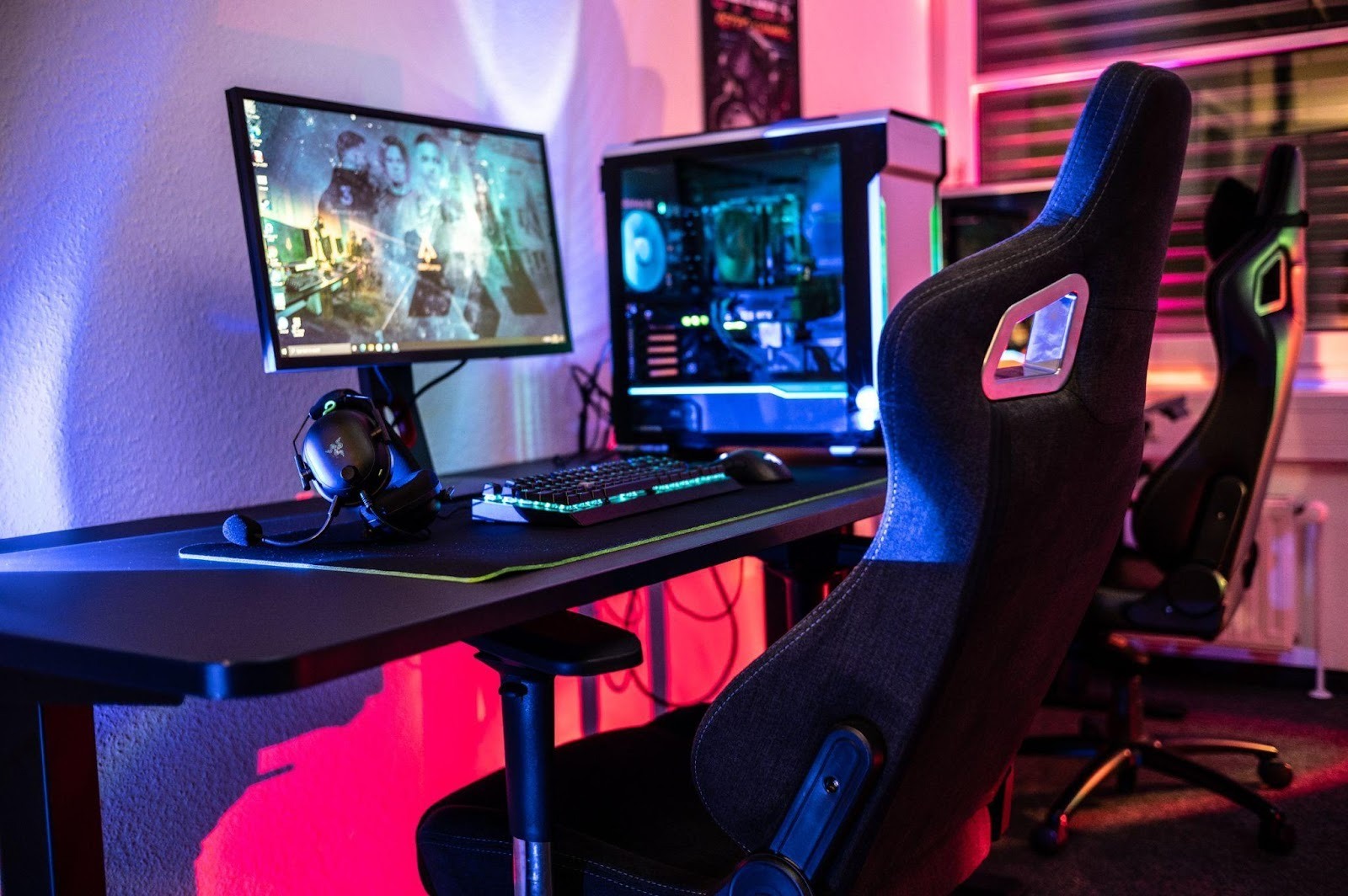
In my opinion, workspace ergonomics play a huge role, especially when it comes to prolonged gaming sessions. Choosing the right desk sets the foundation for the rest of the space. A surface of suitable height and sufficient depth allows you to comfortably place the monitor at a safe distance from the eyes, leaving room for wide mouse movements. Under these conditions, the arms rest naturally, which prevents wrist fatigue even during high activity in matches.
A high-quality chair with lumbar support adjustment is no less critical for maintaining posture. When a long raid in World of Warcraft is ahead, proper back support becomes a crucial factor. While searching for optimal builds or exploring egw.news before launching a game, an uncomfortable seating position will quickly make itself known through a nagging discomfort. Precise adjustment of the armrests and backrest tilt helps relieve unnecessary tension from the shoulder girdle and neck.
I believe that properly selected furniture directly affects the focus and quality of gameplay. The body stops distracting you with signals of discomfort, allowing you to fully concentrate on macro control and team interaction. Without being distracted by a stiff back, it is much easier to deliver maximum efficiency for several hours in a row. An investment in basic comfort - this is a necessary foundation for any gaming achievements.
The light in the room should not be too aggressive or, conversely, too dim, as this directly affects visual endurance during gameplay. Properly arranged lighting sets the right tone without distracting from what is happening on the monitor. For full immersion in the dark dungeons of Diablo 4, you often want to turn off the overhead light, leaving only the glow of the screen. However, this approach creates a serious strain on the eyes due to the strong contrast between the bright picture and complete darkness in the room.
Sharp drops in brightness inevitably lead to a loss of concentration and quick fatigue. While browsing gaming news or reading extensive lists of changes for a fresh patch in the twilight, your vision strains and gets tired several times faster than in normal light. In my opinion, you should not neglect additional light sources, especially if you spend many consecutive hours in front of the PC. Proper local lighting of the workspace smooths out this sharp transition, preserving the clarity of text and interface perception.
The optimal solution seems to be the use of background RGB lighting behind the monitor and soft scattered light in the corners of the room. LED strips or small lamps directed at the wall perfectly even out the overall lighting level. This removes the sharp boundaries between the screen and the surrounding darkness, making the picture visually softer. As a result, you manage to preserve the necessary atmosphere for gaming sessions while simultaneously reducing the risk of eye strain.
Extra items on the desk and wires hanging everywhere inevitably distract attention, even if it initially seems like they don't interfere at all. Our brain constantly registers this chaos in our peripheral vision, spending internal resources on processing unnecessary visual information. Various small things and randomly scattered cables create a background that prevents you from fully immersing yourself in what is happening on the screen. Wires hidden in special ties or cable channels, as well as strict minimalism on the work surface, instantly create a sense of order and cleanliness.
In competitive games, this factor becomes even more significant. If we consider intense team battles in League of Legends or dynamic shootouts in PUBG, where every fraction of a second and reaction speed are critical for survival, peripheral vision should not catch on extraneous objects around the monitor. Any accidental distraction by a bright detail off-screen can cost you a won match. An empty desk allows you to focus your entire visual resource exclusively on the game interface, the minimap, and the movements of opponents.
My opinion is as follows: the less visual noise there is in your direct line of sight, the easier it is to maintain deep concentration on the gaming process. Proper organization of the space around the PC - this is a direct path to increasing personal efficiency and reducing fatigue. You should leave only the essentials for a specific session on the desk - a mouse, a keyboard, a mousepad, and a glass of water. This approach helps you tune into the game faster and not lose focus in the most crucial moments.
The sound design of a room plays no less of a role than a high-quality picture, although many often forget about this. In my opinion, proper room acoustics create the very foundation for deep immersion into virtual worlds. Sound reflecting off bare walls distorts perception and breaks the atmosphere of what is happening on the screen. Thick curtains on the windows, a carpet on the floor, or a couple of acoustic panels on the walls will help get rid of unnecessary echo in an empty room. Such simple solutions make the sound cleaner and more directional.
Taking Genshin Impact as an example, unhurried storyline progression and exploring a vast open world bring much more pleasure with good audio positioning. The rustling of leaves, the sound of a waterfall, or the footsteps of enemies behind your back sound completely different when the surrounding space is prepared correctly. Closed-back headphones perfectly save you from external noises, but it is the proper acoustics of the room that make the sound from the speakers deeper and more voluminous. This allows you to navigate the game space much better, relying not only on sight, but also on hearing.
I believe that a high-quality audio environment radically changes the perception of gameplay. The musical accompaniment, which composers work on for years, is fully revealed only in the absence of audio clutter in the room. Proper room preparation allows you to enjoy epic soundtracks without unpleasant distortions and rattling at high frequencies. As a result, your ears get tired much less, and every gaming session turns into a full-fledged cinematic experience.
Creating the ideal gaming zone - this is a process that requires attention to detail and an understanding of your own needs. It is not about buying the most expensive items, but about their proper placement and setup. Ergonomics, lighting, order, and sound work together, creating a space you do not want to leave. A room arranged in this way will help you achieve better results and get the maximum enjoyment out of your favorite projects.