The algorithm is a hungry beast, and its favorite food is video. If you manage a brand account, a creator profile, or a small business page on Instagram, TikTok, or YouTube, you know the struggle intimately. You have stunning high-resolution photography, amazing product shots, and great graphic designs, but when you post them as static images, the engagement is lukewarm at best.
The platforms have spoken: motion is mandatory. But for most marketers and creators, video production is a significant bottleneck. It requires planning, filming, lighting, and the most dreaded phase of all—editing.
This is where the new wave of AI "Image-to-Video" technology comes in. It is effectively a cheat code for social media growth, allowing you to take existing static assets and transmute them into dynamic, attention-grabbing video content in seconds.
Scroll through your "For You" page or your "Reels" tab. How many static images do you see? Very few. The psychology behind this is simple: human eyes are evolutionarily wired to track motion. A static image allows the eye to rest (and scroll past), while movement hooks the brain, forcing the viewer to pause and process what is happening.
For a long time, bridging the gap between a photo and a video required complex software like After Effects. You had to manually keyframe movement, add particles, and simulate depth. Now, Generative AI creates what we call "synthetic motion." It analyzes the pixels in your image, understands the context (e.g., "this is a cloud, it should float left" or "this is a candle, it should flicker"), and generates the necessary frames to bring it to life.
While generative AI is powerful, starting from a blank prompt can be daunting. This is why Image-to-Video Templates are the real game-changer for efficiency.
Templates act as pre-packaged directorial decisions. Instead of telling the AI, "Pan camera right, add zoom, increase lighting flare," you simply select a template like "Dynamic Zoom" or "Cinematic Pan." You upload your static image, apply the template, and the AI handles the physics and the rendering.
This workflow turns a folder of 50 product photos into 50 distinct video assets in the time it would take to edit a single traditional video.
While there are many fragmented tools out there—some for generating images, others for animating them—the workflow can get messy. You end up jumping between three different apps just to get one post ready.
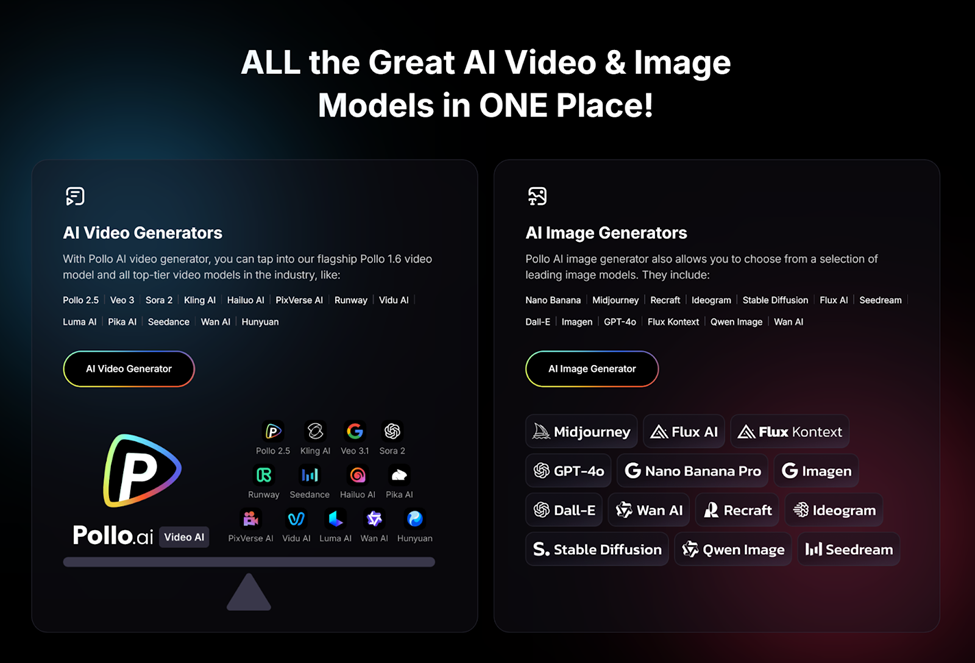
This is where Pollo AI distinguishes itself. It operates less like a simple tool and more like an all-in-one agency that fits in your pocket.
Pollo AI is designed to handle the entire image to video lifecycle. You can start by generating the image within the platform, or you can upload your own. But the magic happens in the transformation. Pollo AI includes a suite of editing tools designed to eliminate the need for manual splicing.
One of Pollo AI’s most powerful features is the AI Video Extender. Often, AI generates a clip that is only 2 or 3 seconds long—great for a GIF, but too short for a TikTok algorithm that rewards watch time. The AI video extender intelligently predicts what happens next in the scene, lengthening your clip seamlessly without losing quality. This allows you to turn a fleeting moment into a narrative.
Furthermore, Pollo AI is built for the "viral" mindset. It offers one-click generation of viral-ready short videos. You don't need to understand pacing, beat-matching, or transition timing; the AI analyzes the content and formats it for maximum retention. And because modern creators are rarely tied to a desk, Pollo AI offers a fully functional app, allowing you to go from a static idea to a published Reel while you’re commuting or grabbing coffee.
So, how do you actually apply this to your strategy? Here are three high-impact ways to use these shortcuts:
Take a flat, 2D photo of your product. Use an AI template to add a "camera orbit" or "dolly in" effect. Suddenly, that flat JPEG looks like a high-budget 3D render. The movement allows viewers to feel like they are inspecting the object, increasing the perceived value of the product.
Go through your archives. Look for high-performing photos from two years ago that wouldn't work on today's algorithm. Run them through an image-to-video generator. Add environmental motion—make the trees sway, make the water ripple, or add a subtle light leak overlay. You have just created "new" content without shooting a single frame.
If you are promoting a podcast, a blog post, or a new service, don't just post the cover art. Use AI to extend the boundaries of the cover art (outpainting) and then animate it. A static graphic becomes a moving intro.
The goal of using AI in creative work isn't to replace human creativity; it's to remove human drudgery. Manual editing—cutting clips, adjusting timelines, rendering proxies—is time-consuming and technical. It keeps you away from the high-level work of storytelling and strategy.
By utilizing tools like Pollo AI, you are essentially outsourcing the technical execution to the algorithm. You become the Creative Director, and the AI becomes your production team.
We are entering a phase where the barrier to creating "viral" quality content is nearly zero. You don't need a $5,000 camera, and you don't need a degree in film editing. You just need a good image, the right template, and the willingness to let AI do the heavy lifting. The shortcuts are there; it’s time to take them.