Introduction
In today’s fast-paced environment, presentation decks are everywhere—from startup pitch meetings and board updates, to academic lectures and internal status reports. But creating a good slide deck remains a time-consuming, detail-heavy task. Layout, design, branding, data visualisation, sourcing and verifying content—all of this eats up hours if not days of manual effort.
AI agent aims to change that. As part of the Skywork OfficeSpace suite, it offers an AI-powered system to automate much of the work of slide creation: from research and content, through design, to output in multiple formats. The pitch is that one can go from idea to polished, brand-aligned presentation in minutes rather than hours.
In this article we’ll explore:
- What exactly Skywork AI Slides Agent does
- Key features
- Benefits for different user types
- Potential limitations
- Comparison with existing tools
- Implications for organizations
- Best practices for using it well
- Possible future directions
What is Skywork AI Slides Agent
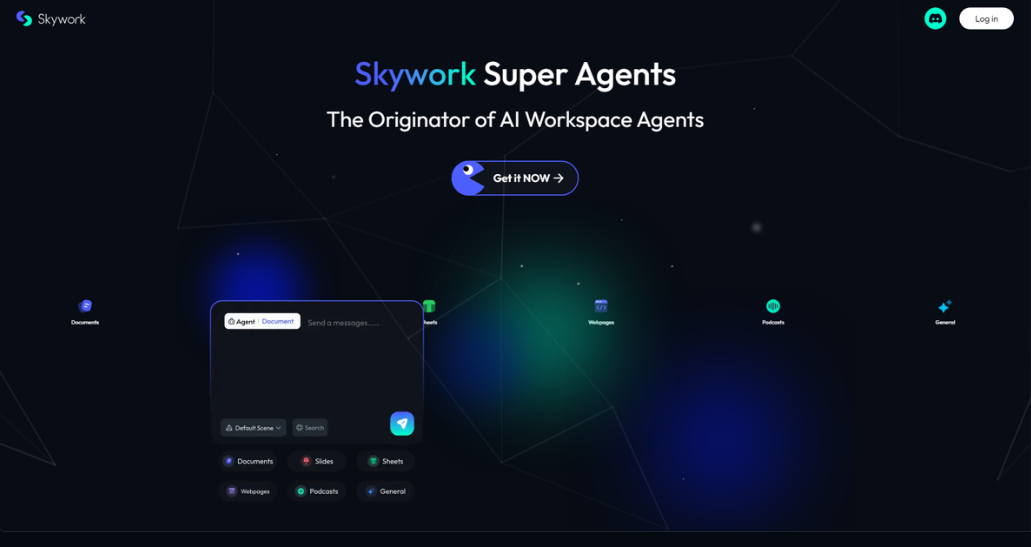
Skywork AI Slides Agent is a tool that leverages large-language models (LLMs), design automation, natural language prompts, and data-visualization engines to help users generate slide decks quickly. It is part of Skywork OfficeSpace 1.0, which positions itself as “the first AI-powered office suite.” =
Some of the core capabilities include:
- Deep Research & Citations
When instructed, the agent can perform topic research across credible sources, auto-gather data and references, and include citations. This helps ensure that the information is not just plausible but verifiable. - Branded Templates
Users can define their organization’s style guide—colors, logos, typography etc.—and the agent will apply that across all slides. This ensures consistency and adherence to brand identity.
- Auto Data Visuals
From raw data to charts, graphs, infographics—all generated automatically from a prompt. This saves manual work of formatting visuals, choosing axes, styling charts, etc. - Layout / Design Automation
Tasks like slide layout, font selection, image placement are automated, based on the user’s prompt. This reduces the need for slide-by-slide manual tweaking. - Multi-Format & Collaboration
Presentations can be exported to multiple formats such as PowerPoint (pptx), Google Slides; and there are collaboration tools for live editing. There is also mention of producing other content types (documents, podcasts) from the same content baseline.
Key Features in Detail
To understand the value, let’s unpack what these features mean and how they might work in practice.
Deep Research & Citations
- The agent can pull information from credible sources: news, academic, whitepapers, etc.
- It can auto-cite these; so when a user says “include statistics on X,” the agent doesn’t just generate estimates but finds sources.
- This is especially valuable for formal or persuasive decks (investor decks, whitepapers, external proposals), where credibility matters.
Branded Templates
- Brand style consistency is often neglected when people rush presentations. Having colors, fonts, logo placement automatically managed avoids mismatches.
- For organizations with many employees, this feature ensures everyone’s decks look coherent and on-brand.
- Probably allows saving template assets (brand palette, logos) and reuse.
Automated Visualization
- Transforms raw data (e.g. spreadsheets, numbers) into visual elements without user having to manually set up charts.
- The tool has to make decisions: which kind of chart (bar, line, pie, etc.), how to label axes, how to display multiple data series. If done well, it saves a lot of time.
- Probably allows customization (e.g. color scheme, style) to match brand.
Layout / Design Automation
- Layout tools automate slide templates: title & content slides, section dividers, image slides, etc.
- Automatically choosing where images go, how text wraps, what font size, margin, etc.
- This helps especially for those less skilled with presentation design tools.
Multi-Format & Collaboration
- Exporting to multiple formats is essential; many users work in PowerPoint, Google Slides, Keynote, etc.
- Collaboration implies multiple people can edit, comment, review. Might include revision history.
- Producing derivative content (documents, podcasts) means content reuse is built in: e.g. turning a slide deck into a script, transcript, or article.
Benefits & Who Gains The Most
Here are the advantages, and who will benefit most:
Benefit | Why It Matters
| Best Users |
Speed & Efficiency | Cuts down time spent on manual formatting, image sourcing, layout, data visualisation
| Entrepreneurs, small businesses, busy professionals, startup founders |
Consistency & Brand Compliance | Ensures all slides follow brand guidelines; reduces slide-by-slide inconsistency
| Marketing teams, agencies, corporations, brands with multiple presenters |
Credibility & Accuracy | With auto research and citations, reduces risk of misinformation or weak sources
| Consultants, academics, thought leaders, policy makers |
Better Visuals Without Designer | Those without strong design skills still get visually appealing outputs | Small teams, solo professionals, early stage startups |
Collaboration & Reuse | Easier for teams to share, edit, build upon common content; reuse across formats | Large organizations, remote teams, agencies |
Potential Limitations & Challenges
While promising, the tool also faces potential shortcomings. Understanding these is important for realistic expectations.
Dependence on Quality of Training Data & Sources
- The “deep research” depends on which sources the AI has access to and whether they are up-to-date, reliable, or biased.
- Risk of errors or misleading citations if the AI incorrectly interprets data, misattributes, or misquotes.
Creativity vs Formula
- Automated layouts and templates may lead to decks that look similar or “templated” in feel. For those wanting highly customized or creative design (e.g. for branding or design agencies), might feel limiting.
- Also, automatic data visuals may miss subtleties: for example, which visualization shows a trend best, or when to use custom infographics, etc.
Editing & Adjustment Overheads
- Even with automation, users will often want to fine-tune slides: tweak layouts, adjust visuals, edit text or graphics. If the tool doesn’t support easy manual overrides, this can become frustrating.
- There is a learning curve: understanding what prompts produce best results, how to direct the AI, etc.
Cost & Access
- Likely to be subscription-based or usage-based; cost may be high for small users.
- Also, depending on region, export formats, or collaboration features may be premium.
Data Privacy & Security
- If you upload proprietary data, sensitive slides, etc., need assurance about data protection.
- Also, the research component may involve hitting external sources—licensing, copyright, or plagiarism can be a concern.
Multi-format Consistency
- Converting between formats (PowerPoint, Google Slides, etc.) is nontrivial; features may degrade (animations, custom graphics).
- Ensuring design fidelity across formats is a technical challenge.
Comparison With Existing Tools
There are already multiple tools in the slide‐deck / presentation space. How does Skywork compare?
Tool | Strengths | Where Skywork Might Outperform | Where Others Might Hold Edge |
PowerPoint / Google Slides | Very flexible, standard in many organizations, lots of manual control, rich feature sets | Skywork automates layout, citation, research which those tools do not inherently provide; faster speed | Manual design control; customization; offline access; specialized animation / transition features |
Canva / Beautiful.ai / Prezi / Visme | Strong in template design, visual elements, user-friendly visuals | Skywork’s research & citation plus branded template automation might give extra value; multi-format export & collaboration may be deeper | Canva etc. may have larger media/image libraries; more mature design tools; possibly multiple integrations |
AI presentation assistants / script-to-slides tools (Various startups) | Some convert scripts or text outlines to slides; some generate visual suggestions | Skywork’s combining of research, automated visuals, brand adherence, citations puts it at higher end; more “all-in-one” | Others might have more niche strengths (e.g. video integration, more quirky visuals) |
Thus, Skywork seems positioned as a higher-end, more full-featured AI-assisted presentation generator, especially for users who need research + credible data + consistent branding + team collaboration.
Implications for Organizations & Professionals
What does this tool mean in practice, for businesses, professions, educators etc.?
Changing Workflow & Roles
- The “presentation designer” role may shift: less about building from scratch, more about supervising, curating, refining.
- People who are not designers can produce high-quality presentations, reducing bottleneck dependence on design teams.
Productivity Gains
- Faster turnaround on external pitches, reports, investor decks can lead to faster iteration, more frequent updates.
- Marketing, sales, product teams may lean more heavily on data-built visuals, backed by the research component.
Standardization & Brand Protection
- Brand teams can enforce templates and visual identity more strictly if usage is governed centrally. This reduces risk of off-brand messaging.
- Also useful for compliance in regulated industries where citations and source attribution are needed.
Education & Learning
- In teaching environments, students or educators could use the tool to produce better-looking presentations, freeing time for content rather than slide design.
- The research component might help in encouraging source referencing.
Competitive Advantage
- Organizations that adopt such tools sooner may have advantage: more polished presentations, faster response to opportunities, internal alignment.
Best Practices for Using Skywork AI Slides Agent Effectively
To get maximum benefit and avoid pitfalls, here are recommended practices.
1. Be Clear and Specific in Prompts
- Clearly state the audience, purpose, tone (formal / informal), length.
- Provide style instructions: how many slides, what types (charts, images, section breaks).
- If needing certain data or sources, specify.
2. Review Sources Carefully
- Always double-check the research and citations. The AI can make mistakes.
- Where possible, refer back to original sources to verify figures, dates, claim accuracy.
3. Maintain a Custom Style Guide
- Set up your brand fonts, logos, colour palette from the start.
- Save common assets and templated layouts so you can reuse.
4. Use Visuals Strategically
- Don’t accept every automatic chart; choose visuals that clarify rather than decorate.
- Consider whether custom diagrams or infographics are needed for unique ideas.
5. Refine & Edit
- Use the AI-generated slides as a foundation; do manual tweaks to ensure clarity, remove redundant content, align messaging.
- Edit slide order if necessary; ensure flow is logical.
6. Collaborate Early
- Invite team members or stakeholders to review early drafts. Using collaboration tools helps catch issues early.
- Use feedback loops to improve prompt instructions in future decks.
7. Consider Data Sensitivity
- If slides include proprietary or confidential data, ensure that data handling, storage, export is secure.
- Use internal data sources where possible; avoid uploading sensitive info if unsure of terms.
Possible Limitations / Risks to Watch Out For
Beyond what was touched earlier, here are additional potential risks:
- Over-reliance on AI: May lead to homogenized decks, loss of unique voice.
- Misalignment with audience expectations: If the style is too “AI generated,” may feel generic or impersonal.
- Cost creep: As you use more premium features or higher usage volumes, subscription or usage fees might become significant.
- Versioning issues: Ensuring that what is built in one format (e.g., Google Slides) translates cleanly to another (PowerPoint).
- Creative constraints: The tool may not cope well with very custom visuals or non-standard content (e.g. interactive content, custom multimedia).
Future Directions & What to Watch For
Skywork AI Slides Agent is already ambitious; here are features or improvements that might emerge, or things to look out for:
- Improved multimodal content: Integration of video, audio, or live data feeds into slides.
- More advanced narrative generation: e.g. generating speaker notes, slide-by-slide scripts, perhaps automatically generating Q&A or summary sections.
- Interactive / live slide features: Embedding interactive charts, real-time data dashboards.
- Better localization / multilingual support: For users in non-English speaking regions.
- Integration with other tools: Like CRM, analytics platforms (so data visualisation from live business data), project management tools, etc.
- Adaptive design suggestions: AI that learns what your audience prefers (style, slide length, visuals) over time and suggests accordingly.
- Enhanced security and compliance: As more businesses use it, certifications (e.g. ISO, GDPR, SOC) will matter.
Case Scenarios / Examples
To make this concrete, imagine how different users might use Skywork in practice.
Startup Pitch Deck
- Founder gives prompt: “Investor pitch deck, 10 slides: problem, solution, market size, financials, team, ask.”
- AI generates outline, pulls credible market size research, includes graphs of CAGR, designs consistent brand visuals, branded template.
- Export to pptx, share with co-founder/founder team, adjust manually if needed.
Marketing Team Weekly Report
- Marketing manager inputs data (traffic, conversions, social reach). AI generates visuals, summary slide, content pulled from recent reports.
- Deck looks consistent with brand, ready to send to executives with minimal refinement.
Academic Lecture
- Lecturer wants to present on climate change for students. Asks agent: “Create 15 slides on climate change: causes, consequences, mitigation, recent research, with sources.”
- Agent gathers recent data & citations, includes visuals (charts, infographics), structured layout (intro, sections), consistent format.
Conclusion
Skywork’s AI Slides Agent represents a powerful evolution in how presentations are made. By combining research, design automation, data-visualisation, and brand compliance, it promises to dramatically reduce the effort needed to build high-quality decks. For many individuals, teams, startups, and organizations, this can translate into saved time, better consistency, and more polished messaging.
However, it’s not a magic wand. Users still must provide clear direction, review content critically, and refine the output. Creativity, narrative flow, and audience connection still require human touch. The most effective use will be when AI tools augment human strengths—letting people focus on strategy, message, and insight, while the tool handles the formatting, sourcing, layout.
As AI tools like this mature, we can expect presentation work to become more democratized: more people will be able to produce high-quality, credible, visually engaging content quickly. For those who learn to use them well, the competitive advantages in speed, clarity, and polish could be significant.