Introduction: AI technology to Souvenir Your Memories
Home movies are the forever memories of families: gatherings, childhood events, or nostalgic vacations. However, due to their very grainy, low-quality nature, these moments tend to lose their lustre. These videos, which might be on VHS tapes, early digital camcorders, or obsolete equipment, tend not to be of the quality necessary to post to the internet or other online services such as YouTube or Instagram. CapCut Desktop Video Editor offers a solution to this problem by leveraging an
AI video upscaler to enable you to do both in one product! Apply a Text to Speech tool to give your memories a professional narrating feel, and upscale your videos using advanced upscaling capabilities. This article will guide you through the process of bringing home movies to life, making them colourful, playable, and suitable for use in family archives, on social media, or as sentimental gifts.
Why Restore Home Videos using the AI Functions of CapCut?
Restoring old home movies not only enhances the visualizations but also serves as a way to keep memories alive for future generations. The AI tools provided by CapCut will also simplify this process by enhancing the quality of your low-resolution video and adding exciting sound effects, making your videos seem new and professional. It does not require special skills or costly equipment to use the platform's intuitive interface, which is accessible to both novice and experienced editors. With the AI feature that upscales video resolution and provides additional narration, you can turn blurry clips into clear, emotion-stirring videos to share with loved ones or on the internet, allowing larger communities to watch.
How-To: Resurrect Your Home Movies with CapCut
The CapCut Desktop features an AI-driven application that enables you to repair and enhance the quality of old home videos easily. The list below outlines four simple steps to help bring your memories to life with proper visuals and professional voice-overs.
Open CapCut and start a New Project.
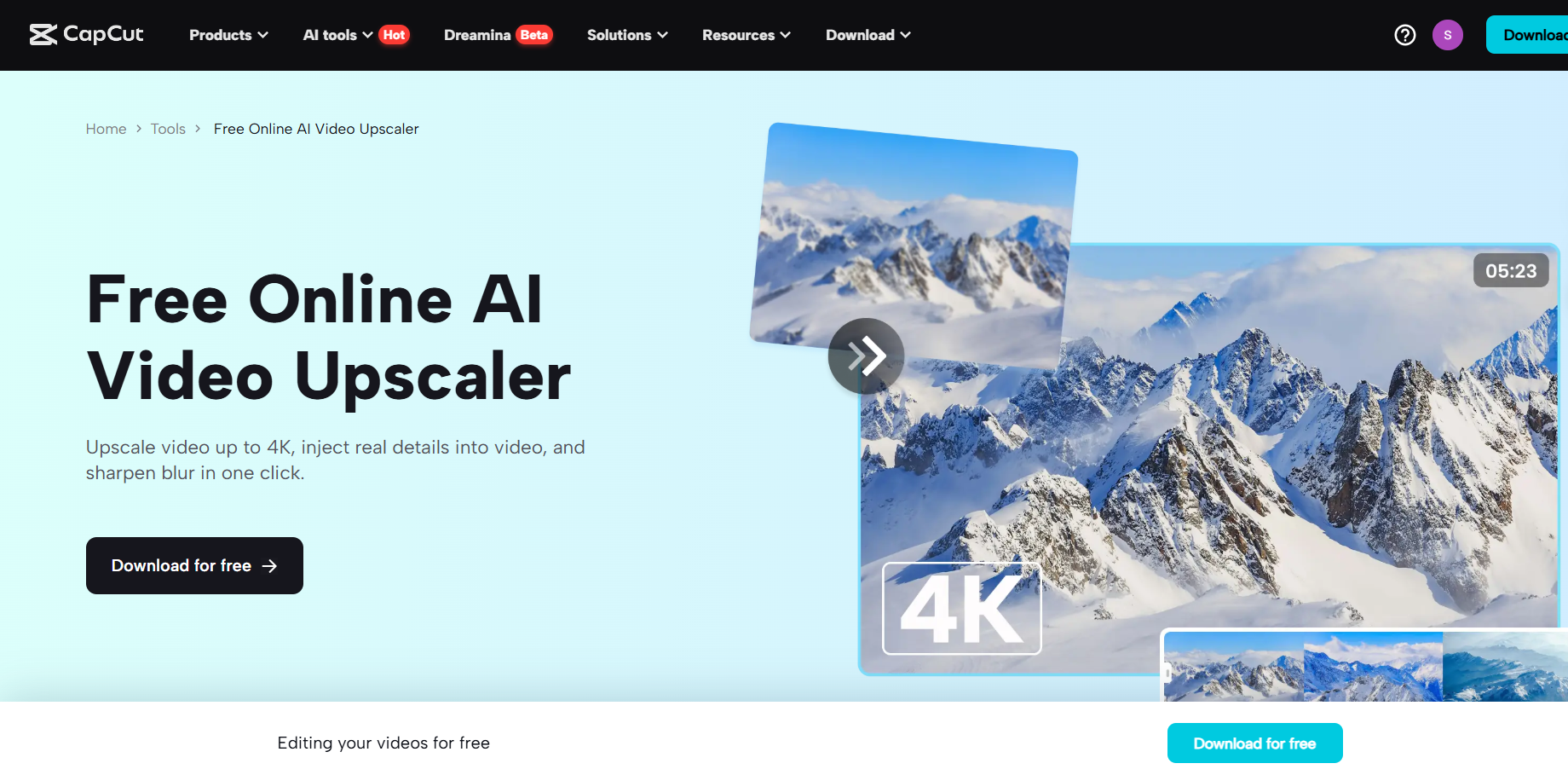
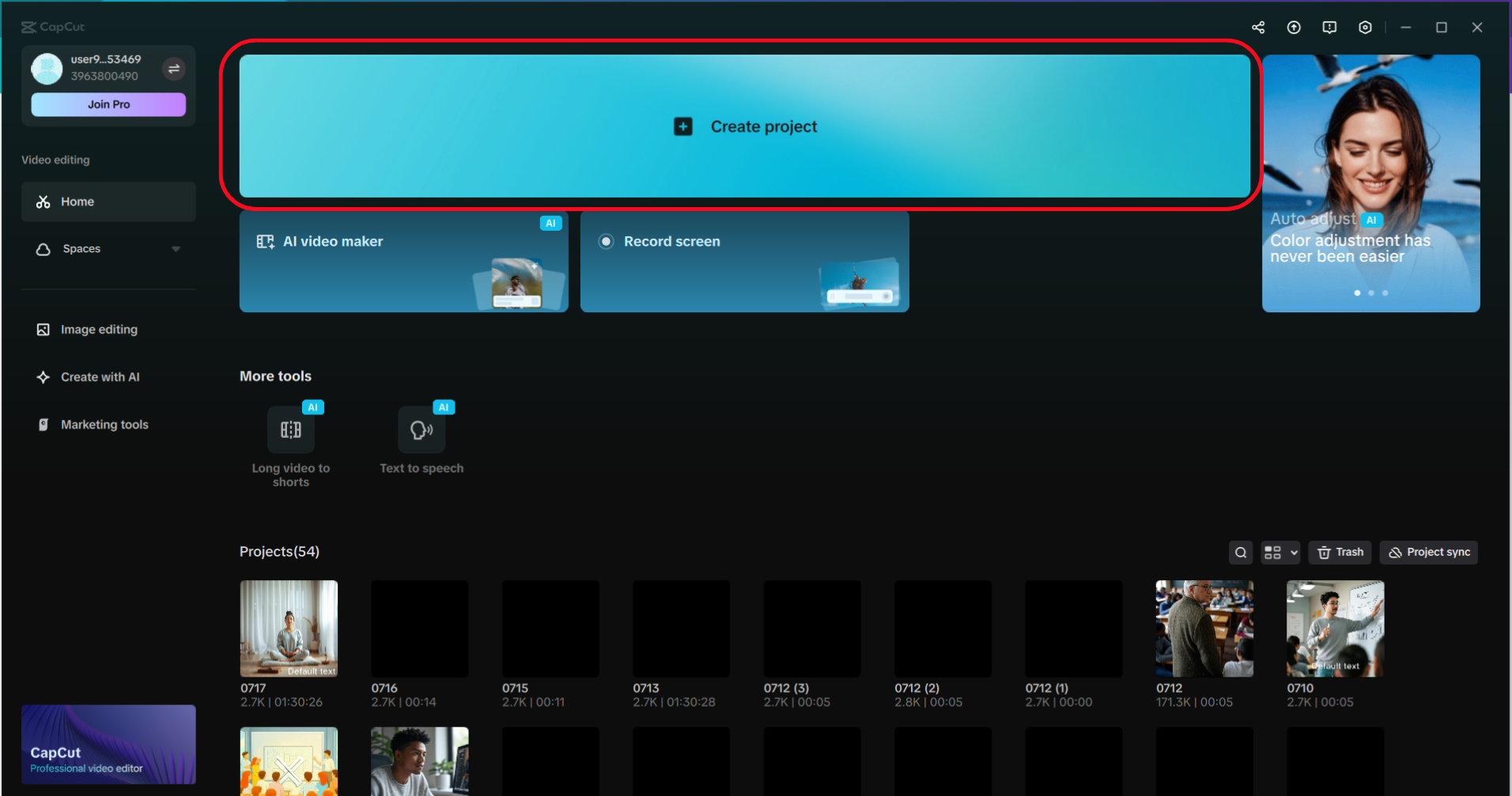
To download CapCut, visit the official site and download the desktop application for Windows or Mac. Once installed, open CapCut and press the "Create project" button on its main screen to create a new project. This brings up a blank timeline, which allows organization of video assets.
Import Home Movie Footage
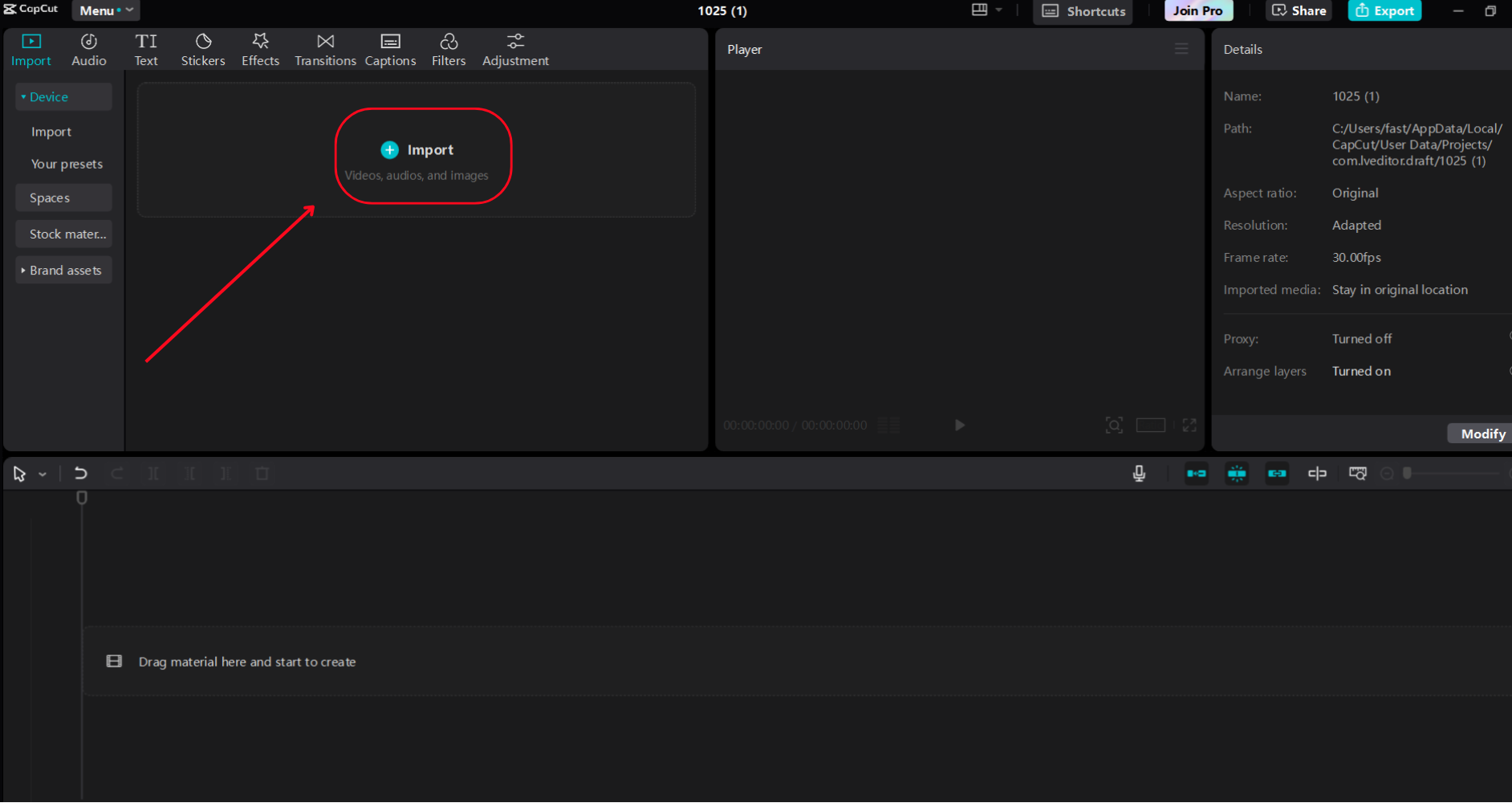
Find the "Import" button in the "Media" panel in the CapCut interface; it is typically located on the left. It allows you to upload digitised home movie clips in formats like MP4, AVI, or MOV with just a click. Drag and drop the clips to the timeline, located at the bottom of the screen, after importing them. Organize them either by their chronological sentences or based on the way you want your story to be told.
Personalise using AI Video Upscaler and Text-to-Speech
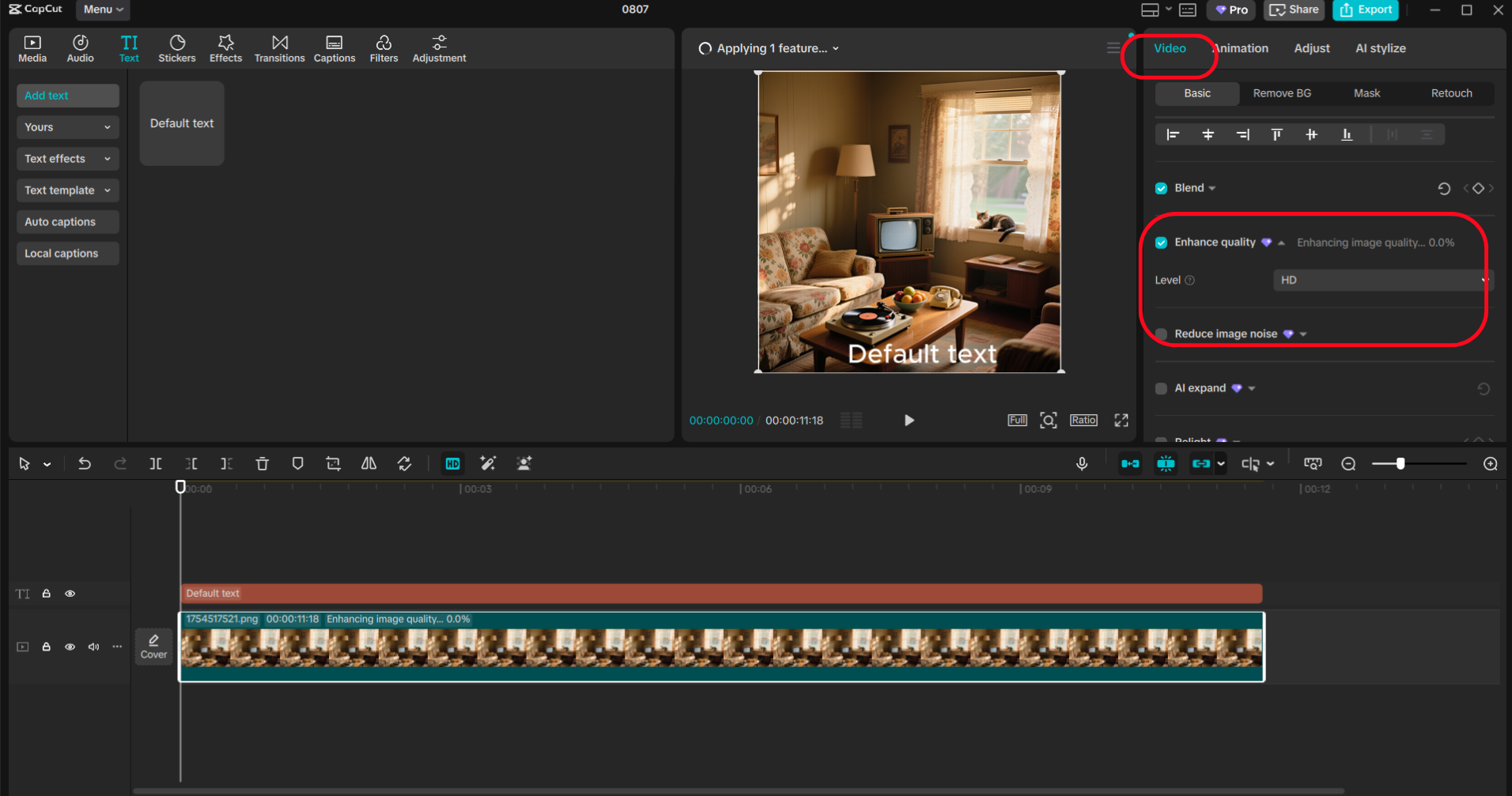
Enhance your video quality and sound with AI Voice Generator and upscaling features on CapCut. Go to the "Video" tab, choose "Basic" at the top and enable the option "Enhance quality" to scale your recording up to "HD" (1080p) or "UHD" (4K) resolution, with the necessary details becoming clearer, whether it is faces or the landscape. Use the sliders to increase or decrease brightness or contrast, as required.
Next, navigate to the "Text" panel, copy a line such as "Text to speech", and then paste it into a text that describes the memory or context (e.g., Our 1995 family picnic). Select a voice, such as Warm Female or Nostalgic Male, and adjust the pitch, speed, and preview to synchronize dialogue with important scenes using the timeline markers.
Export Your Restored Movie
Once you are finished revising, press the button in the top-right called "Export". Choose, for example, the MP4 format, ensuring the quality is 1080p or 4K. Edit the frame rate as required and save it to your device. You can post your restored home movie to YouTube or Instagram, or share it with your family group chat, or feel the nostalgia and burn it to DVD. The cloud storage of CapCut also allows you to access your project in future to make tweaks across devices.
Key CapCut Features for Restoring Home Movies
Among the tools in CapCut that bring old footage to life are the AI-powered ones. AI Video Upscaler is an upscaler that enhances low-resolution or otherwise poorly defined selects, improving faces and background landscapes, and works perfectly with VHS tapes or early video reproduction. The
text to speech AI feature provides access to a range of AI voices that can be used to deliver context or emotional narration with customizable pitch and speed, making it as personal as possible. The timeline editor also enables a smooth stacking overlay of sound, picture, and text, including annotations displaying dates or family names, with real-time previews providing the exact synchronization. Moving to a paid subscription will eliminate watermarks, enable full HD/4K exports, and take your restored memories to a new professional level.
Advantages of AI Home Movie Restoration
The AI Video Upscaler CapCut turns blurry video clips into high-quality videos, bringing back old memories into sharp detail. This would be particularly useful to share on social media, where good visuals increase reception. The narration generated by the
AI voice generator is time-saving because the voice is not manually recorded. Still, the process has several language conceiving possibilities to target a broad audience or can be used to build a nostalgic atmosphere. The software is novice-friendly, requiring no prior experience in editing, and eliminates the need for hiring a restoration specialist. CapCut offers an affordable solution for families, content makers, and archivists seeking an accessible way to access and share precious memories.
Bottom line: Save Moments using CapCut AI
The AI functionalities of Capture Desktop, such as Text-to-Speech and AI Video Upscaler, help every person revive home movies of yesteryear. With better visual quality and a professional narration, one can produce emotionally touching videos that either pass on the history of families or attract followers online. Bringing a 90s birthday party or vintage vacation to life is easy with CapCut, thanks to its ease of use and the ability to deeply customize. This makes the whole adventure satisfying. Restore your old home movies now and make grainy footage look gorgeous with high-quality results.