AI is still transforming video editing and creation. The procedure that used to belong to the professionals is now in your pocket. The CapCut App has been a game changer in this area. Its AI lab unites influential functions that streamline and speed up video editing. AutoCut is one of the most distinguishable tools of this suite. It can be programmed to perform all the hard work involved in manual editing, making the editing process seamless and professional. Intelligent automation is more crucial than ever in the modern world of rapidly evolving content. It is time-saving and helps you maintain consistency across various videos.
The CapCut App AI Lab has an AutoCut that automatically assembles your clips into a complete video. It does not simply glue videos together. It selects the most suitable cuts, employs appropriate transitions, and adjusts the pace. AutoCut eliminates frame-by-frame editing as opposed to conventional timeline editing. Dragging clips across the layers is no longer necessary, as you receive a structured video immediately. It is an essential tool that helps you save time and ensures your edits are professional and rhythmic. AutoCut will make it easier, whether you're creating content for personal enjoyment or business purposes.
AutoCut is powered by AI-driven scene detection, which analyzes your clips. It knows when one moment stops and another one starts. This familiarity helps it make transitions where it should. It identifies tone, movement, and sound variations. It also maintains music, voiceovers, and visuals. This implies that the video does not have awkward silences or abrupt transitions. AutoCut also preserves your video's natural rhythm, whether you've been syncing to a beat or a storyline; it won't end with any jerks. It adds a pacing sense that is as professional as editing.
AutoCut saves hours when creating content in batches that will be shared on social media. It suits best creators who use platforms such as TikTok, Instagram Reels, and YouTube Shorts. You may take longer videos and cut them into smaller pieces. This slicing is done in AutoCut. Educational material helps organize tutorial or lesson clips. It makes editing less complex, enabling you to pay more attention to content quality. AutoCut provides you with the advantage when speed and consistency are essential. This tool fits seamlessly into your workflow, whether you're an influencer, educator, or marketer.
AutoCut saves a significant amount of time when completing a video. You won't have to study sophisticated computer programs or make tedious edits. You feed your clips, and the CapCut App takes care of the rest. Automation makes it transition and time-dependent on the tone of what you are saying. With all that said, in some instances, manual editing could be more creative. However, when it comes to the general content, speed, and accuracy, AutoCut excels. It detects audio beats and visual cues with precision, giving results that are sometimes difficult to obtain manually. It is not suitable for all niche edits, but it applies to most rapid production requirements.
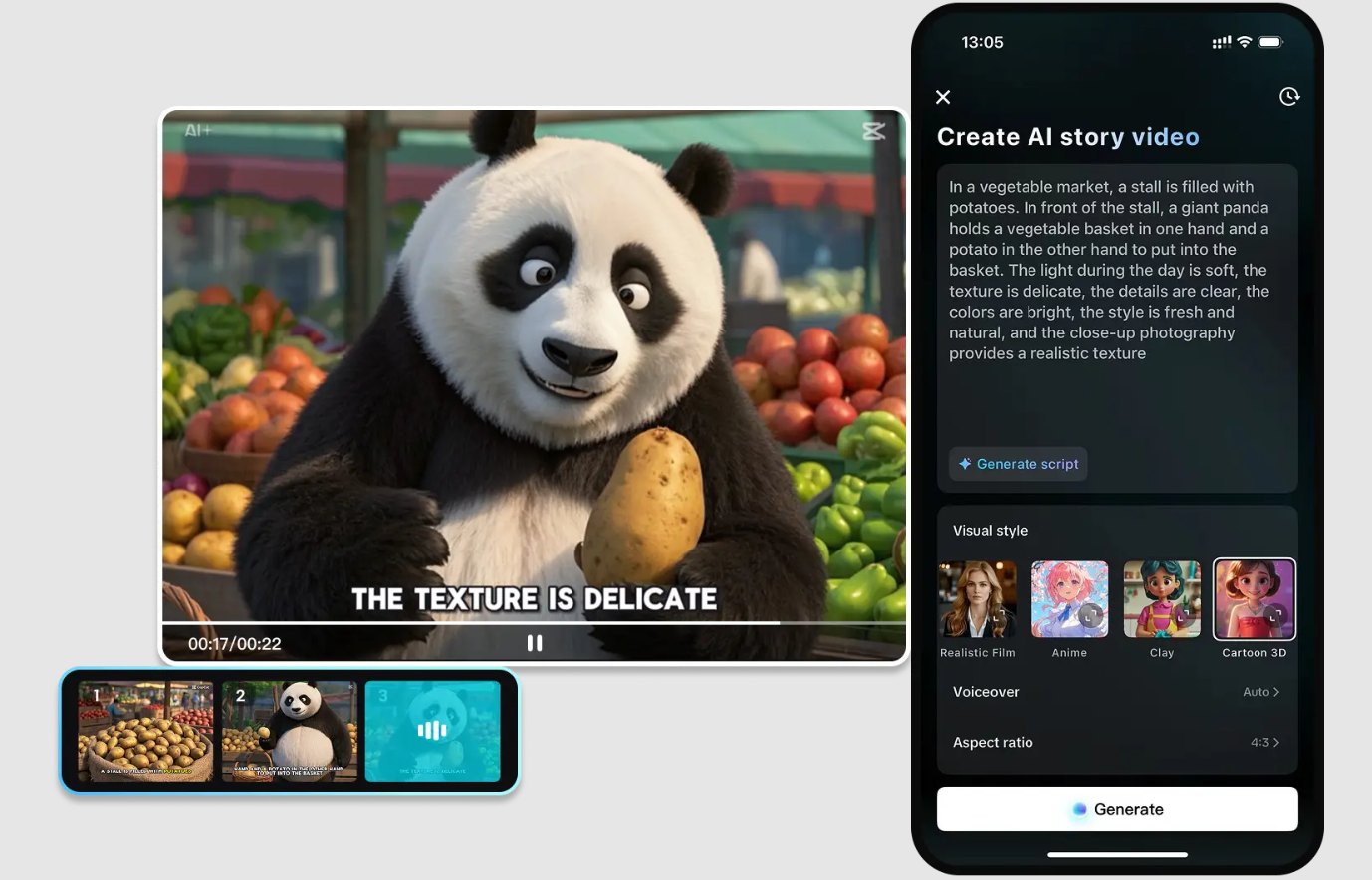
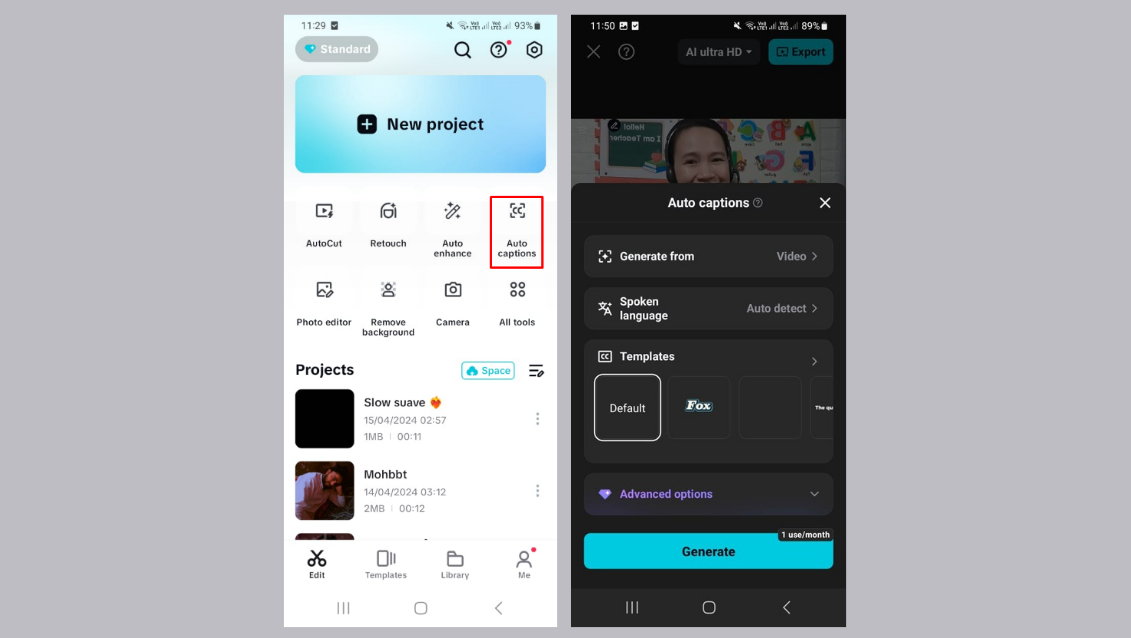
AutoCut can be even more powerful when combined with other tools in the AI Lab of the CapCut App. An example is when you can first apply the AI story maker, which turns a script into a visual story. Then polish the production with AutoCut to provide a smooth flow and pace. To make a video even more engaging, one can add artistic details, such as AI effects or digital characters. The AI caption generator provides automatic subtitles for creators seeking to increase their production volume. Accessibility and clarity can be achieved without additional efforts. The combination of these tools makes the pipeline for creating high-quality videos at scale smooth.
If your workflow is more concept-to-video-based, an AI video maker will be necessary. It uses your concepts and transforms them into other dramatic pictures. When you combine it with AutoCut, your creative process becomes significantly faster and more structured. Special tools and complex software setups are not necessary. It is all done in the CapCut App, which makes it all efficient and mobile.
Step 1: Launch AI Lab and pick AI story maker
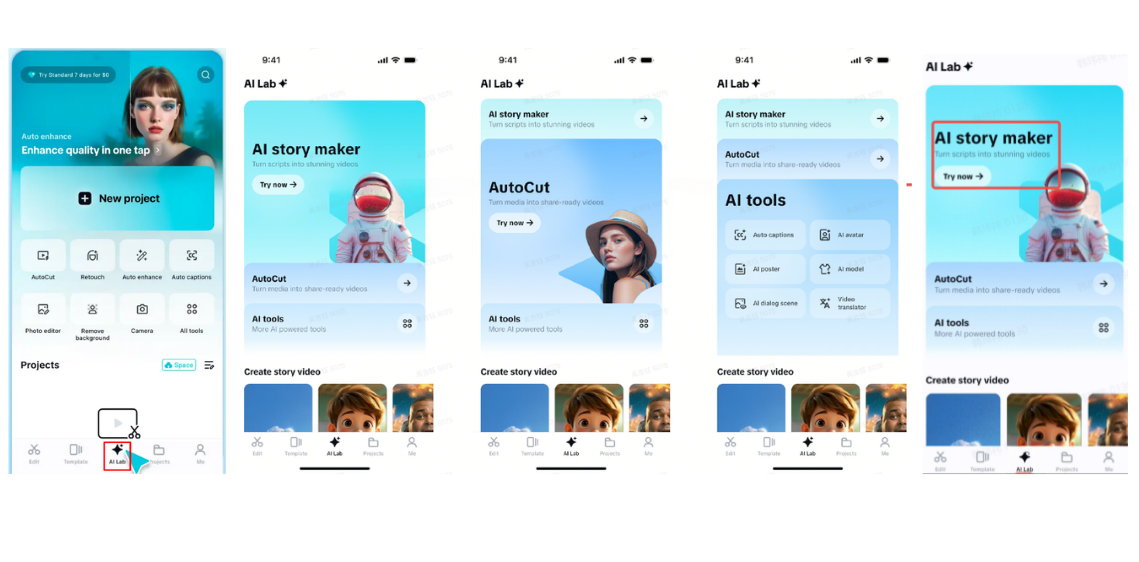
To begin, open the CapCut App and tap on the "AI Lab" from the bottom menu. This section gives you access to smart tools like "AI story maker", "AutoCut", and other "AI tools". Tap "AI story maker" and hit the "Try now" option to continue.
Step 2: Build and adjust your video
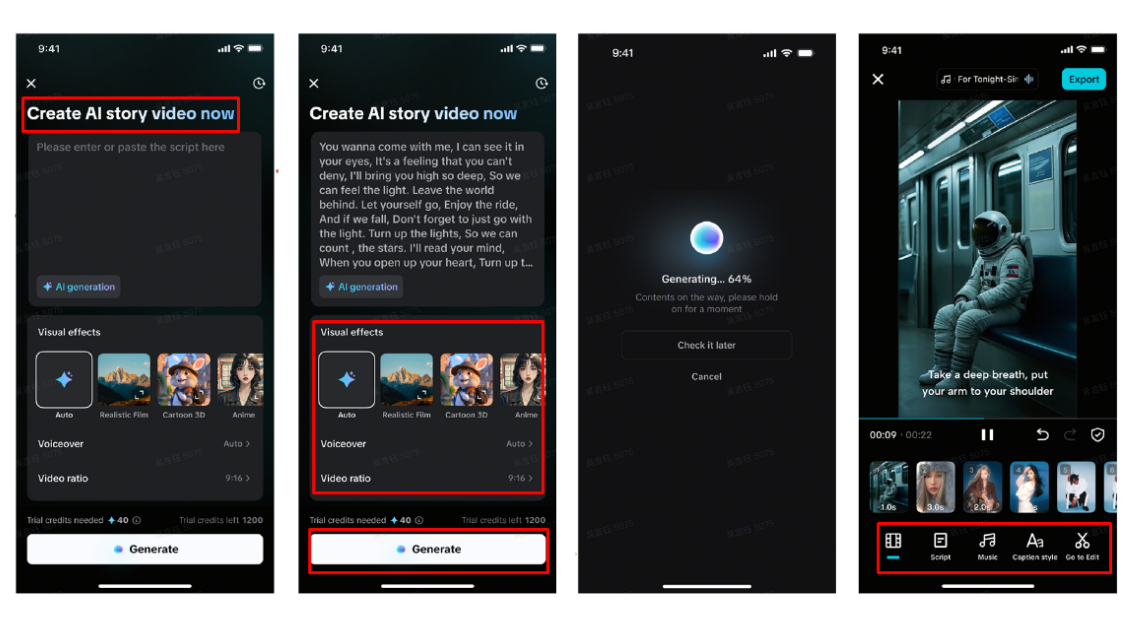
Paste your script or write directly in the "Create AI story video now" input box. Pick from styles such as Realistic Film, Cartoon 3D, or Anime. You can add a "Voiceover" and set the "Video ratio" based on your need. Tap "Generate" at the bottom once you’re ready.
Once your video is generated, go to the "Music" tab to include background tracks. Then stylize your captions using the "Caption style" tab—add fonts, effects, and animations. To explore advanced edits like stickers, transitions, and filters, tap "Go to Edit" and enter CapCut’s full editing tools.
Step 3: Export and post with ease
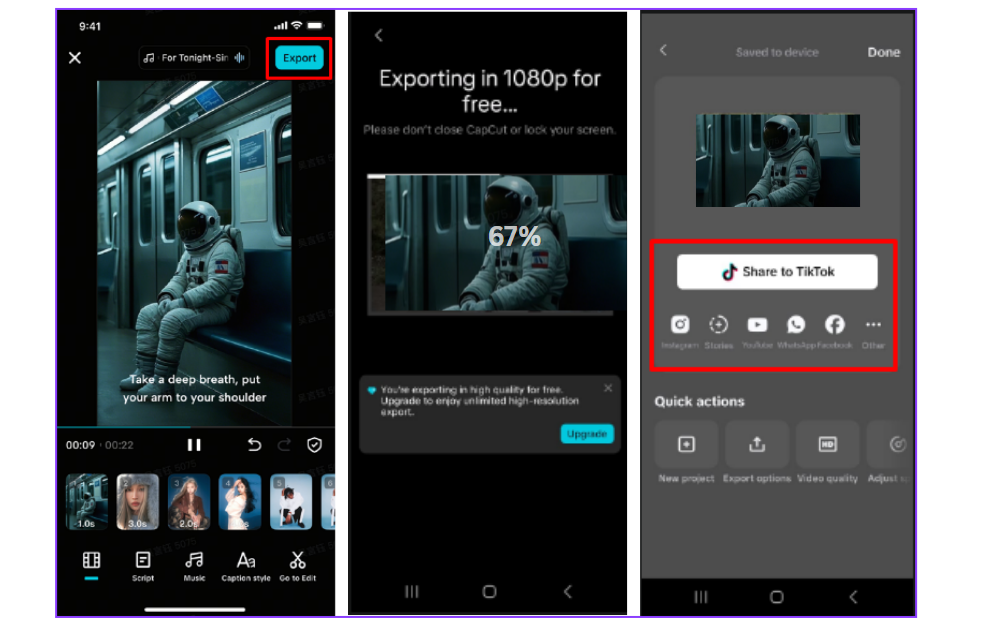
After reviewing your video, tap "Export" at the top right to save it. You can then post it directly to TikTok, Instagram, YouTube, or any social platform.
AutoCut helps lower the barrier for creators by offering smart, seamless video editing. It delivers fast results without compromising quality. Whether you're a beginner or an experienced creator, this tool empowers you to produce polished content with minimal effort. Explore AutoCut in the CapCut App and experience faster, smarter video editing today.