What makes your heart pound when you play a horror game? Is it the chilling atmosphere, the sudden jump scares, or the terrifying monster that stalks you from the shadows? Games like Amnesia and Slender have mastered the art of fear, creating experiences that stick with us long after we’ve turned off the screen. For many, the idea of creating such an immersive world seems impossibly complex, requiring years of coding knowledge and artistic skill.
That barrier is quickly disappearing. What if you could design a bone-chilling horror experience without writing a single line of code? Thanks to the rise of AI game creation tools, you can. The complex process of game development has been simplified, allowing anyone to bring their scariest nightmares to life.
This guide will show you how to make a horror game in just a few minutes using the power of AI. Forget spending months modeling assets or scripting complex events. We'll break down the essential elements of horror and walk you through creating your own playable game, from generating a terrifying world to designing a monster that will haunt your players' dreams.
Before we start building, it's important to understand what makes a horror game effective. Great horror isn't just about gore; it’s a carefully crafted experience designed to prey on our deepest fears. Most successful horror games rely on a few key mechanics to build suspense and terror.
The world itself is often the first character you meet in a horror game. A powerful atmosphere sets the stage for everything that follows. Think of dark, claustrophobic corridors, the unsettling silence of an abandoned hospital, or the eerie sound of wind howling through a desolate forest. These environments make players feel isolated and vulnerable. Sound design is crucial here, creaking floorboards, distant whispers, and distorted ambient noises can turn a simple room into a place of dread.
Every horror story needs a threat. In games, this is the entity that hunts the player. It could be an unkillable creature like the Xenomorph in Alien: Isolation or a supernatural force like the ghosts in Phasmophobia. The most effective antagonists are often mysterious and unpredictable. Their presence creates constant tension, forcing the player to stay alert. The fear comes not just from being caught, but from the terrifying possibility of what might happen if you are.
A well-timed jump scare is a classic horror tool. This is a sudden event designed to startle the player, a monster lunging from a dark corner, a loud noise breaking the silence, or a ghostly face flashing on the screen. While they can be overused, effective jump scares capitalize on the tension you’ve already built. They provide a sharp, immediate shock that keeps players on edge.
Many of the best horror games strip players of their power. Instead of giving you a massive arsenal of weapons, they leave you defenseless. In games like Amnesia, you can't fight back; your only options are to run and hide. This feeling of helplessness is a core component of survival horror. Limited resources, like a dying flashlight or a finite sprint ability, amplify this vulnerability and make every decision feel critical.
Now that we've deconstructed the essentials, it's time to build. Using a no-code horror game tool powered by AI, we can assemble these mechanics into a playable experience in minutes. Let's get started.
Every great game starts with an idea. Before you start generating anything, brainstorm a theme for your game. Where does your nightmare take place?
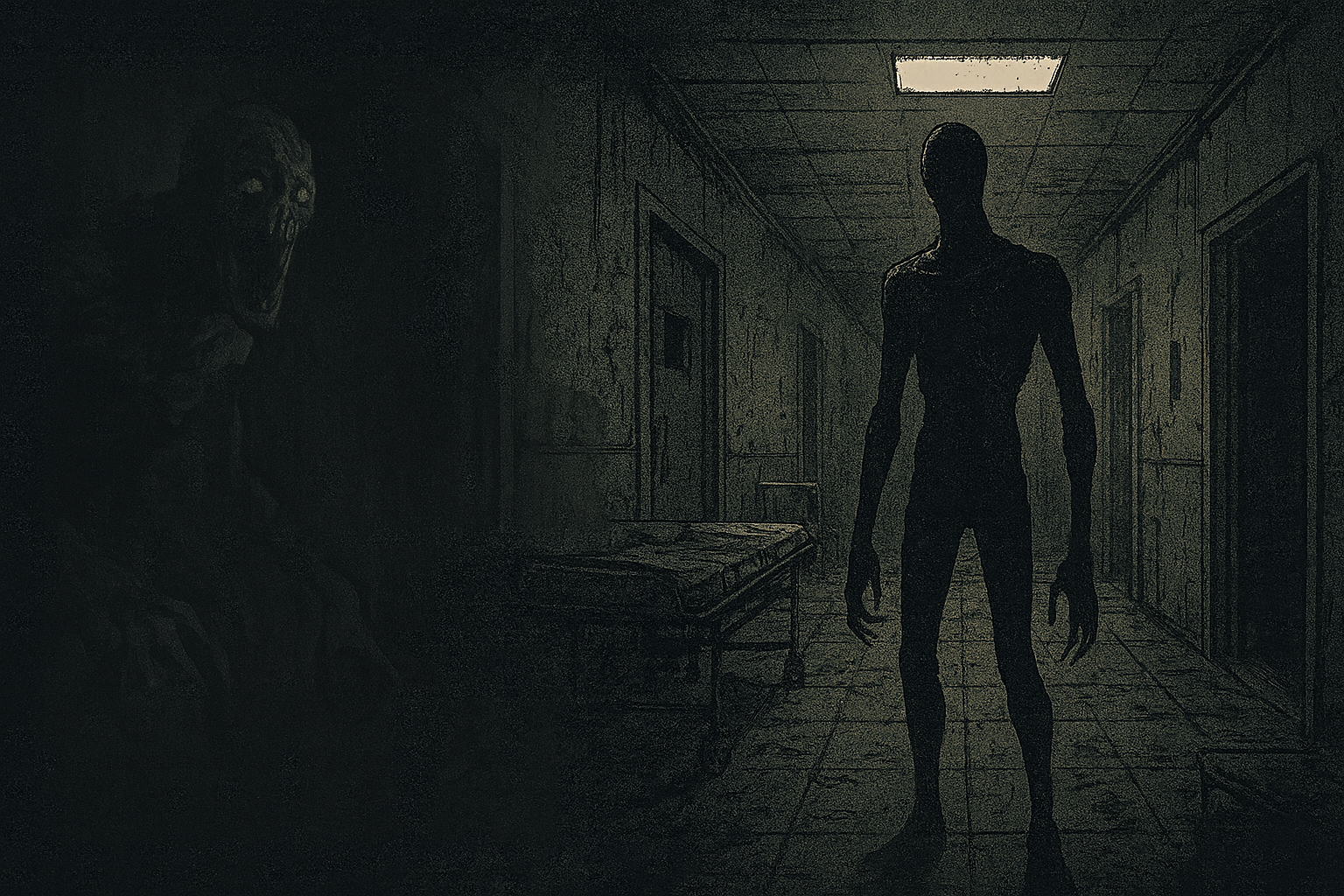
Your concept will guide the AI prompts you use to build your world and its inhabitants. For this guide, let's go with the classic theme: a dark, abandoned hospital. Our goal will be simple: find a way out before something finds you.
With our concept in mind, it's time for some AI asset generation for games. Instead of spending hours building a map or modeling 3D objects, we can use simple text prompts to generate our entire environment.
Open your AI game creation tool and start describing the world you want to create. Try a prompt like this:
"A top-down map of a dark, abandoned hospital corridor with dirty, cracked walls, flickering overhead lights, and overturned gurneys."
This is the magic of AI game development, your imagination is the only limit. Thousands of creators are already doing exactly this on Astrocade, where you can generate entire 3D horror maps in seconds with a single prompt.
Our hospital needs a terrifying resident. Let's use AI to design the monster that will stalk the player. The key is to create something unsettling and unnatural. A good prompt focuses on shape, texture, and unnerving features.
Try this prompt to generate your antagonist:
"A tall, slender creature with unnaturally long limbs and no face, made of a flickering, shadow-like texture."
In seconds, the AI will generate a 3D model of your monster. You can tweak its appearance, size, and texture until it perfectly matches the nightmare you envisioned. You’ve just created a custom horror antagonist without touching any complex modeling software. One creator used this exact method to spawn the nightmare fuel in Long Night of Labubu, a faceless, twitching creature that still haunts everyone who’s played it.
Now we need to bring our game to life with logic. This is where you might expect to start coding, but with a no-code editor, you can set up game mechanics visually.
Using a simple drag-and-drop interface, we’ll implement the core horror game mechanics:
These simple rules, created without any code, establish the core gameplay loop of running, hiding, and being terrified. Play DOORS on Astrocade, one perfectly timed door + scream combo has caused over 200,000 rage-quits (and screams) this month alone.
To create tension, the player needs a goal. A straightforward objective gives them a reason to explore the dangerous environment and risk encountering the monster. For our hospital game, a classic "find the keys" objective works perfectly.
In the no-code editor, you can set up this goal:
"The player must find 3 keys hidden throughout the hospital to unlock the main exit door and escape."
Place the keys in different rooms, forcing the player to explore the entire map. This objective transforms the experience from a simple monster chase into a tense game of hide-and-seek with a clear win condition.
You've done it. In five simple steps, you’ve learned how to create a horror game without code. Your game has a spooky atmosphere, a custom monster, suspenseful mechanics, and a clear goal.
The world of game development, once guarded by the gatekeepers of code and complexity, is now open to everyone. With AI and no-code tools, the power to create immersive, terrifying worlds is at your fingertips. The process is no longer about technical expertise; it’s about creativity, vision, and the courage to bring your darkest ideas to life. What took teams of developers months or years to build can now be prototyped in a single afternoon.
Try Night Shift Fright, a full abandoned-hospital horror game made in under 20 minutes that’s currently terrifying thousands of players nightly.
The speed and accessibility of AI game creation means you can experiment freely, test different concepts, and build a portfolio of unique experiences. Whether you're an aspiring indie developer, a horror fanatic, or just a creative looking for a new outlet, there has never been a better time to start building.